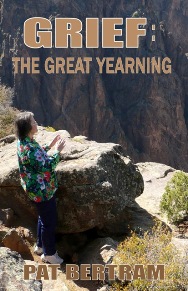
Pat Bertram is the author of Grief: The Inside Story – A Guide to Surviving the Loss of a Loved One and Grief: The Great Yearning, “an exquisite book, wrenching to read, and at the same time full of profound truths.” Bertram is also the author of the suspense novels Unfinished, Madame ZeeZee’s Nightmare, Light Bringer, Daughter Am I, More Deaths Than One, and A Spark of Heavenly Fire.
WordPress is planning on getting rid of their classic editor box, the one I used from the first time I posted a blog. It was easy for a neophyte-blogger me to learn because it was so much like an email editor box, with everything right there that I would need.
I’ve been hesitant about using the new block editor, which is what they call the new blog editor, because it’s based on various blocks or boxes, for example, a box for images, one for text, one that combines both, one that uses a collage format for images, an embedded calendar, and all sorts of other “blocks” I will probably never use. The new format isn’t as intuitive as the old way, so I thought for the first few days of blogging with the new editor, all I’d be able to post is a few words with bizarre formatting, especially since, like most new applications and programs, the directions leave a lot to be desired. To be honest, even the original editor didn’t explain things very well, so I had developed my own tutorial to teach people how to blog.
For the past couple of days, I’ve been playing around with the new format, trying to figure out how to do things so I can keep my current and future blogs more or less in line with my previous posts. There’s virtually no help from any site that claims to explain how to do things (mostly they just say that the block editor is easy to use, all you have to do is pick the block you want to use), but that didn’t work for my basic needs.
But yay! I figured it out, as you can see from my past few posts. Today, I even learned how to use a couple of the blocks, such as this tiled image gallery:
This has been a rough summer for me, one of sadness, incomprehension, and uneasiness about what is going on in this country. I blamed myself for a while, thinking my dejection was my own fault for paying attention, but it seems as if this summer really is an historic one, where the hidden agendas suddenly…
In any talk of immigration nowadays — legal or illegal — someone always brings up the Statue of Liberty and how it says that all people are welcome. The odd thing about the Statue of Liberty, is that despite it being an iconic symbol of the United States, it was never commissioned by the USA.…
It seems funny to think of all the years I’ve been struggling with the issue of how safe it is to say what is on my mind since it seems such a “today” issue. More than that, though, I’ve pretty much forgotten all the other posts where I talked about the same thing. Each day,…
I saw a quote, author unknown, that said, “A person is starting to progress down the road to wisdom when he begins to understand that his opinion is just an opinion.” I don’t know about being on the road to wisdom, but I’ve always known my opinion counts for little. I’ve never been able to…
Something went wrong. Please refresh the page and/or try again.
I would have preferred smaller images, but the gallery is dependent on the width of the blog itself, and apparently, I have a wider blog than most. (For now. I dread the day when they retire this theme, which they do occasionally.)
As fun as all this learning was, the new way seems too distracting for a simple blog post.
Eventually, I’m sure, I’ll find this new blog experience as satisfying as the old one, but for now, it feels clunky. Even worse, it feels as if my words don’t count — that the look of the thing is more important than what is said. But that seems to be the way of the world.
Still, it’s something new for me to play with, so that has to count for something!
***
Pat Bertram is the author of Grief: The Inside Story – A Guide to Surviving the Loss of a Loved One. “Grief: The Inside Story is perfect and that is not hyperbole! It is exactly what folk who are grieving need to read.” –Leesa Healy, RN, GDAS GDAT, Emotional/Mental Health Therapist & Educator
Grief: The Inside Story – A Guide to Surviving the Loss of a Loved One debunks many established beliefs about what grief is, explains how it affects those left behind, and shows how to adjust to a world that no longer contains the loved one. “It is exactly what folk need to read who are grieving.”(Leesa Heely Emotional/Mental Health Therapist & Educator ).
“I am Bob, the Right Hand of God. As part of the galactic renewal program, God has accepted an offer from a development company on the planet Xerxes to turn Earth into a theme park. Not even God can stop progress, but to tell the truth, He’s glad of the change. He’s never been satisfied with Earth. For one thing, there are too many humans on it. He’s decided to eliminate anyone who isn’t nice, and because He’s God, He knows who you are; you can’t talk your way out of it as you humans normally do.”
While sorting through her deceased husband’s effects, Amanda is shocked to discover a gun and the photo of an unknown girl who resembles their daughter. After dedicating her life to David and his vocation as a pastor, the evidence that her devout husband kept secrets devastates Amanda. But Amanda has secrets of her own. . .
When Pat’s adult dance classmates discover she is a published author, the women suggest she write a mystery featuring the studio and its aging students. One sweet older lady laughingly volunteers to be the victim, and the others offer suggestions to jazz up the story. Pat starts writing, and then . . . the murders begin.
Thirty-seven years after being abandoned on the doorstep of a remote cabin in Colorado, Becka Johnson returns to try to discover her identity, but she only finds more questions. Who has been looking for her all those years? And why are those same people interested in fellow newcomer Philip Hansen?
When twenty-five-year-old Mary Stuart learns she inherited a farm from her recently murdered grandparents -- grandparents her father claimed had died before she was born -- she becomes obsessed with finding out who they were and why someone wanted them dead.
In quarantined Colorado, where hundreds of thousands of people are dying from an unstoppable, bio-engineered disease, investigative reporter Greg Pullman risks everything to discover the truth: Who unleashed the deadly organism? And why?
Bob Stark returns to Denver after 18 years in SE Asia to discover that the mother he buried before he left is dead again. At her new funeral, he sees . . . himself. Is his other self a hoaxer, or is something more sinister going on?
Grief: The Great Yearning is not a how-to but a how-done, a compilation of letters, blog posts, and journal entries Pat Bertram wrote while struggling to survive her first year of grief. This is an exquisite book, wrenching to read, and at the same time full of profound truths.